Skip to content

Niche Miner for Windows and Mac

Download Niche Miner

Free to download. Sign up free inside the app (no invite code, approved at once, first day at double Pro's limits), or log in with your Pro account.

Want free daily limits after your first day? Find out on the WhatsApp channel

  • Windows 10 or 11
  • Mac: Apple chip and Intel
  • Free plan, no card
Niche Miner on Windows

Get set up

Up and running in about ten minutes

  1. 01

    Install

    Run the setup file you downloaded and open Niche Miner. Windows or macOS may warn you the first time: the steps are just below.

  2. 02

    Join or log in

    Free: sign up in the app (email and Facebook profile link) or in the Lens extension (just your email), no invite code. One account works in both. Pro: log in with your email and password.

  3. 03

    Add a free AI key

    Create a free Google Gemini key and paste it in Settings. Your key is never stored on the server.

  4. 04

    Import your first sheet

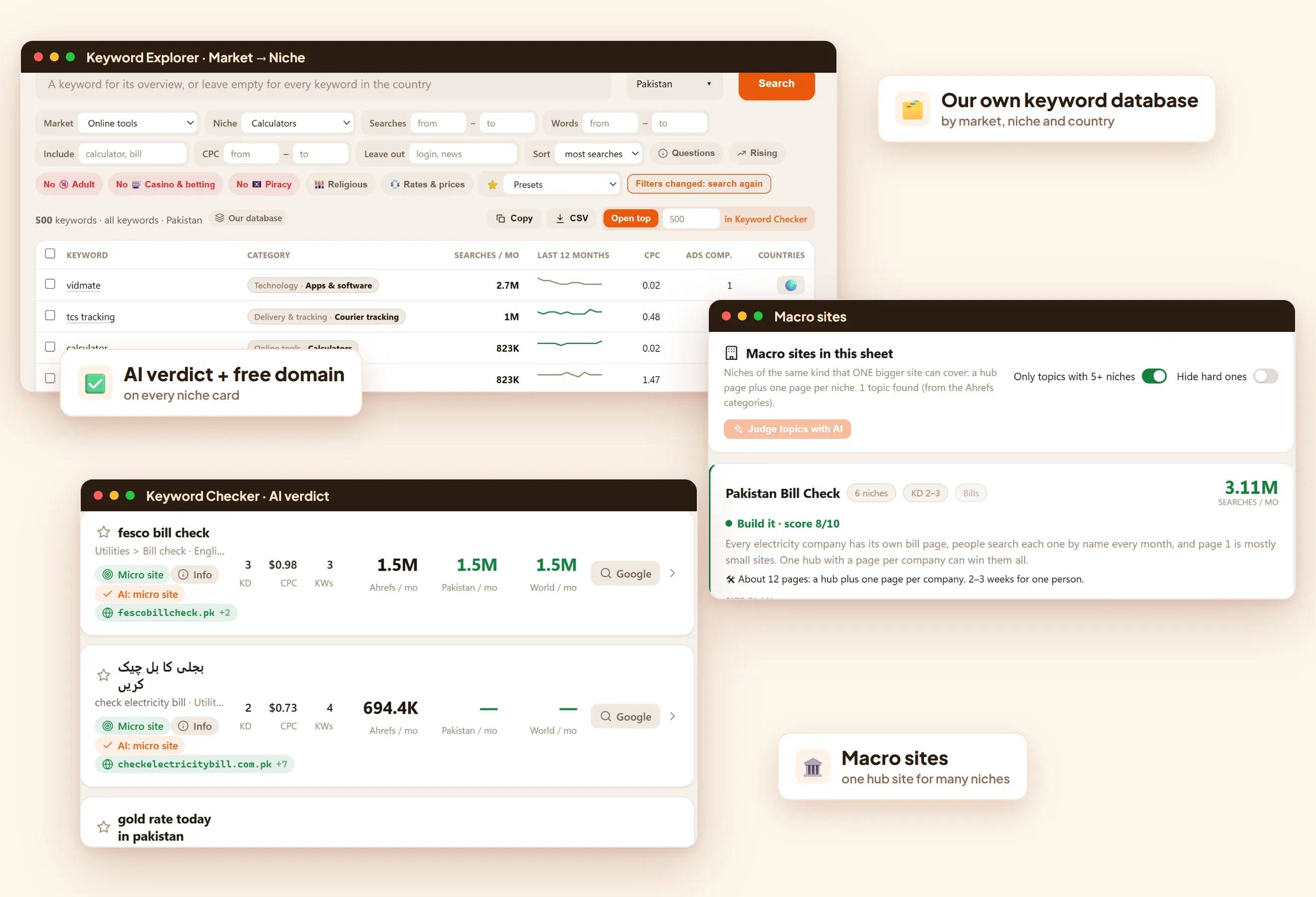
    Open Keyword Explorer, search your country, and send the keywords you like to Keyword Checker. An Ahrefs or Semrush export, or your own list, works too.

⊞ Installing on Windows
Windows 10 or 11.
  1. Open the Niche Miner Setup file you downloaded.
  2. If a blue box says "Windows protected your PC", click More info, then Run anyway. Windows shows this for apps it hasn't seen many times yet.
  3. If your browser says the file "isn't commonly downloaded", choose Keep.
  4. Open Niche Miner from the Start menu.
Installing on Mac
The Mac download is a zip with two files. The first time, macOS blocks the app; you allow it once.
  1. Unzip the download and pick the right file. Apple menu → About This Mac. "Chip: Apple M…" needs the arm64 file; "Processor: Intel" needs the x64 file.
  2. Open the .dmg and drag Niche Miner into Applications.
  3. Open Niche Miner from Applications. macOS says it can't be opened because Apple could not verify it. Click Done (not "Move to Trash").
  4. Open System Settings → Privacy & Security, scroll down to "Niche Miner was blocked", click Open Anyway and confirm with your password or Touch ID.
  5. Open Niche Miner again and click Open. After this it opens normally.
On macOS 14 or older you can skip steps 3 to 5: right-click Niche Miner in Applications, choose Open, then Open again.
If it says "Niche Miner is damaged and can't be opened", the app is fine: open Terminal, paste this line, press Enter, and open the app again.xattr -cr "/Applications/Niche Miner.app"
Want free daily limits after your free day?
With Rehan members, Rehan's students and community, keep free daily limits every day. Join the WhatsApp channel to find out how to become one.

Need a hand?

Watch the full class first

Rehan installs the app, connects a free Gemini key and works through real Ahrefs and Semrush sheets. Jump to 2:27 for installing and 13:03 for the free key.

Your next site is already in your keyword list

Import it, filter it, and let Niche Miner show you the niches worth a domain.